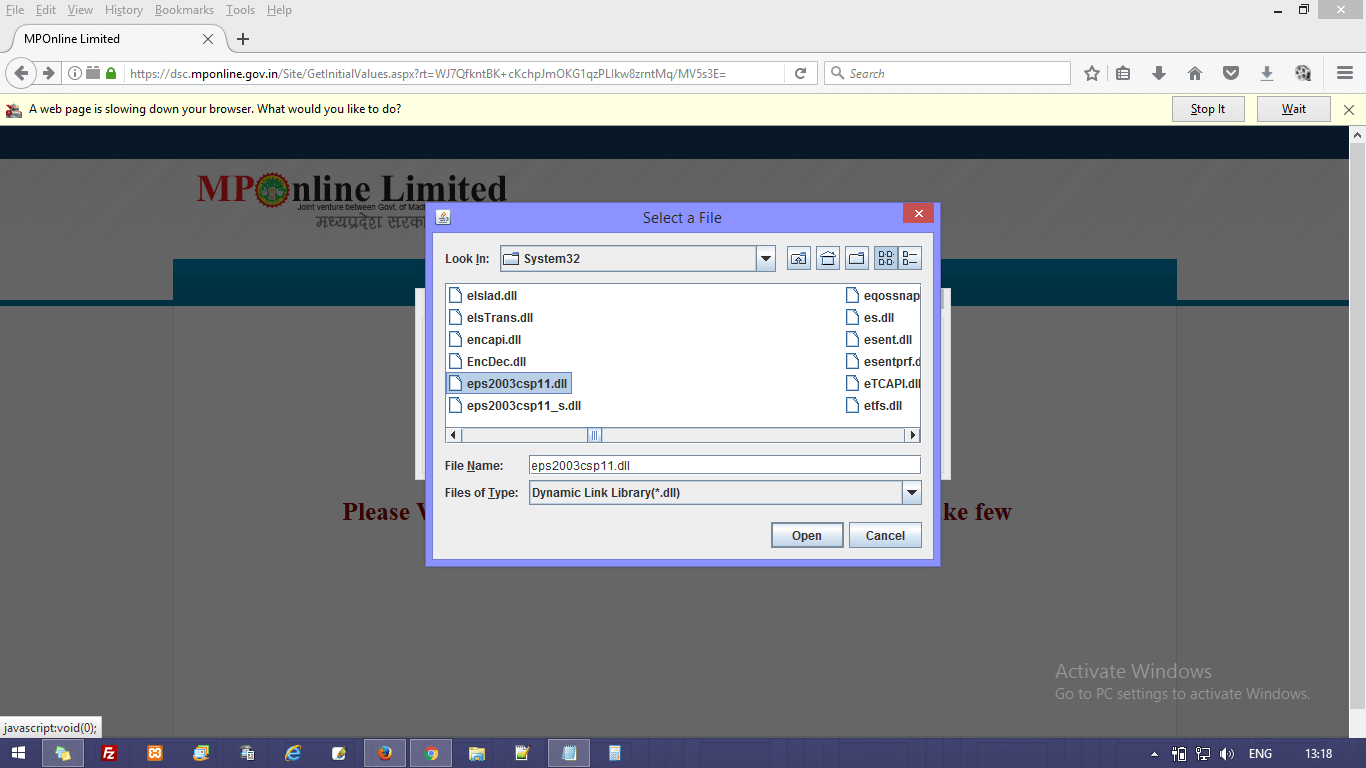
DLL File for Digital Signature at MP Online
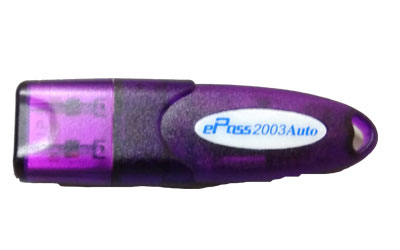
If you have Digital Signature in ePass 2003 eToken and you want to sign at MP Online Portal, then you will need to select a .DLL file for Digital Signature at MP Online Portal.
IF YOU HAVE EPASS 2003 TOKEN, THEN DO FOLLOWING STEPS
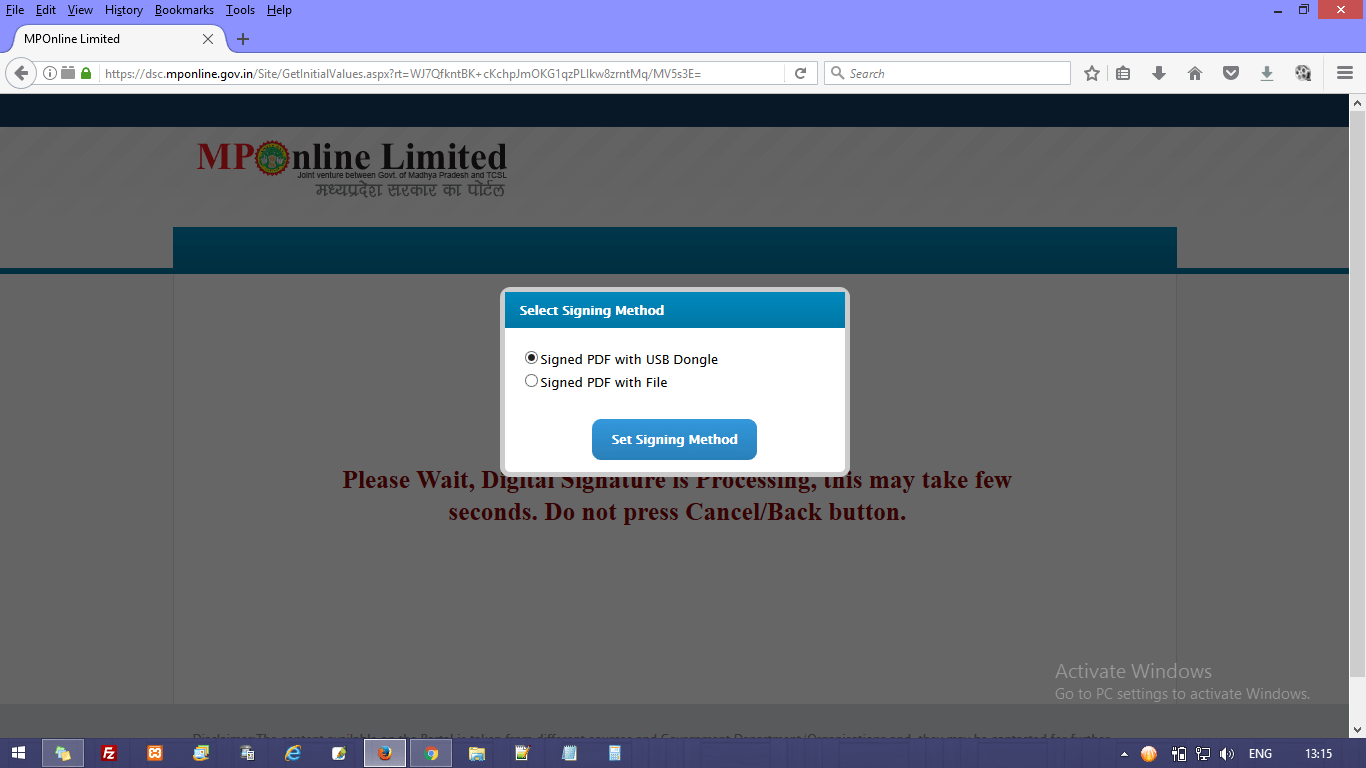
01) SELECT FIRST OPTION :: Signed PDF with USB Dongle
02) CHOOSE DEVICE TYPE :: Other (Last option in droop-down)
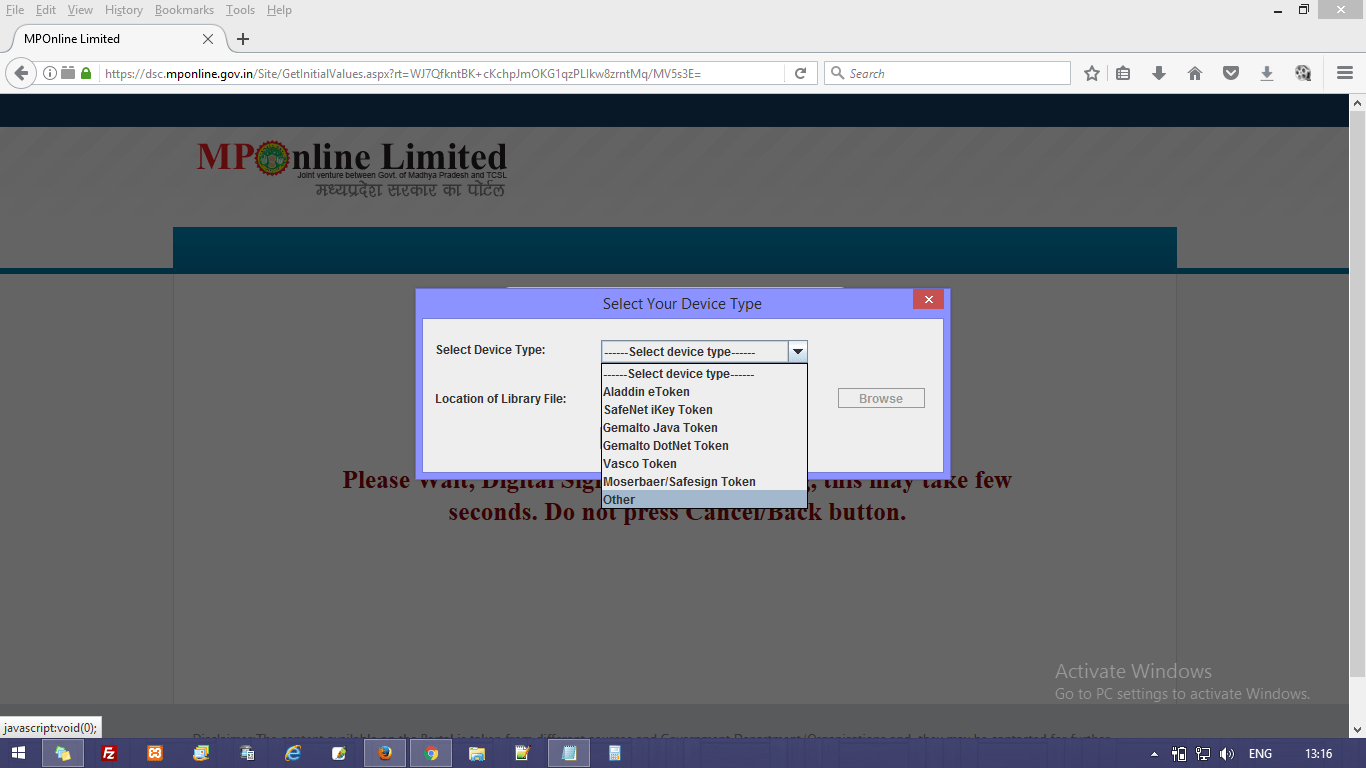
03) SELECT DEVICE TYPE :: Choose “Other” and Click on “Browse” and then Click on “Ok” Button
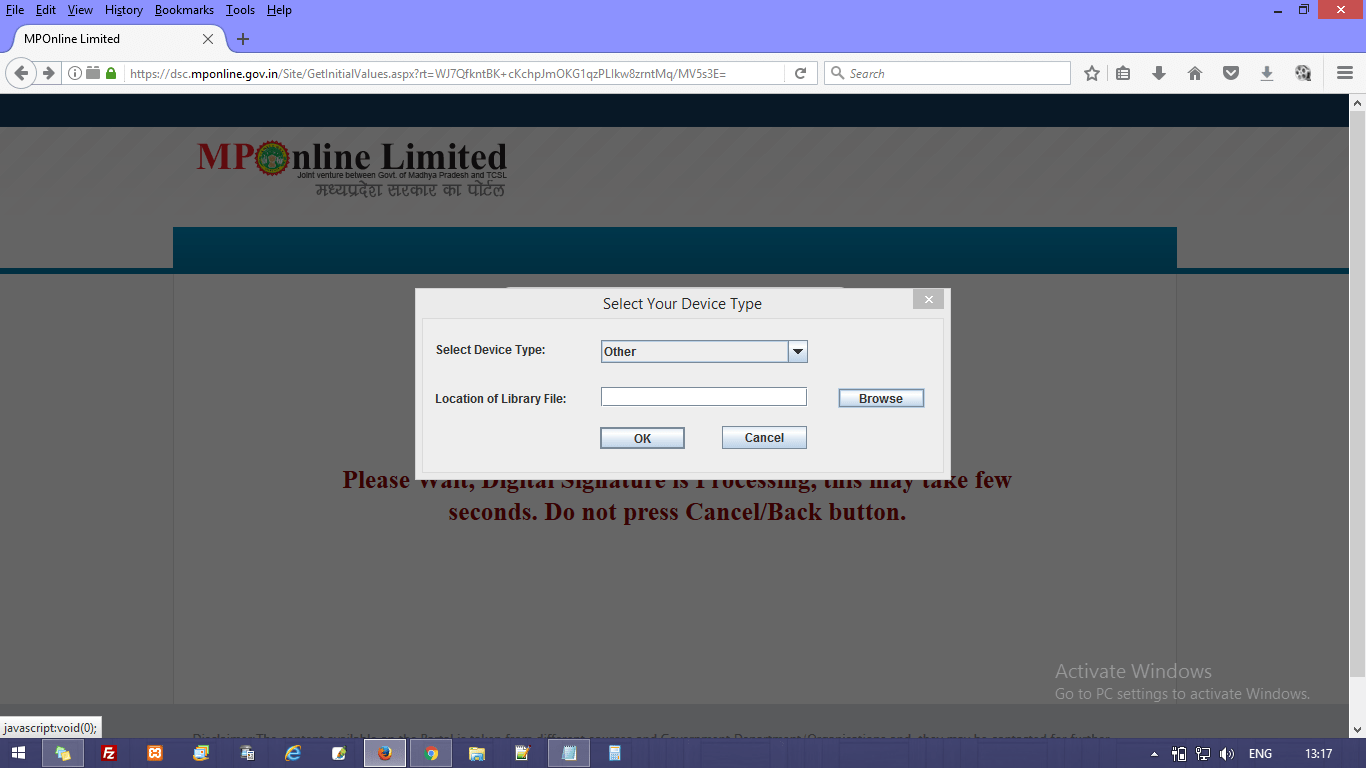
04) SELECt DLL FILE :: Select File Name “eps2003csp11.dll” and click “Open” button